
The most reliable way to track influencer installs is to issue a unique deferred deep link per creator, wire that link to in-app events and billing data, and back it up with promo codes and post-purchase surveys to catch conversions that never touch the link at all. Set your attribution window to 14 to 30 days, and route everything into one dashboard so revenue, not raw install counts, is the number you report on.
TL;DR:
- Using a unique deferred deep link per creator along with in-app event tracking and promo codes ensures comprehensive attribution of influencer installs, especially for users who do not click links at purchase.
- Setting a 14 to 30-day attribution window and routing all data into a single dashboard focuses reporting on revenue and lifetime value rather than raw install counts.
- Validating SDK setup through staged, real-device testing before launch reduces the common risk of misclassified organic installs due to incorrect attribution setup.
- Relying solely on install counts is insufficient; instead, measuring revenue per install and cohort LTV provides a clearer picture of campaign effectiveness.
- Building or investing in a managed creator network offers a quick, reliable alternative to DIY attribution systems, especially for teams lacking extensive engineering resources.
Table of Contents
- Which Methods Actually Track Influencer Installs?
- What Steps Should You Take Before Launch?
- How Do You Measure RPI and LTV Per Creator?
- Why Does Influencer Tracking Break, and How Do You Fix It?
- How Do Managed Creator Networks Handle This End-to-End?
- Where Should You Focus in the Next 72 Hours?
- Skip the Build: A Performance-Based Alternative to DIY Attribution
- Where to Go Deeper on Influencer Attribution
- Sources
- FAQ
Which Methods Actually Track Influencer Installs?
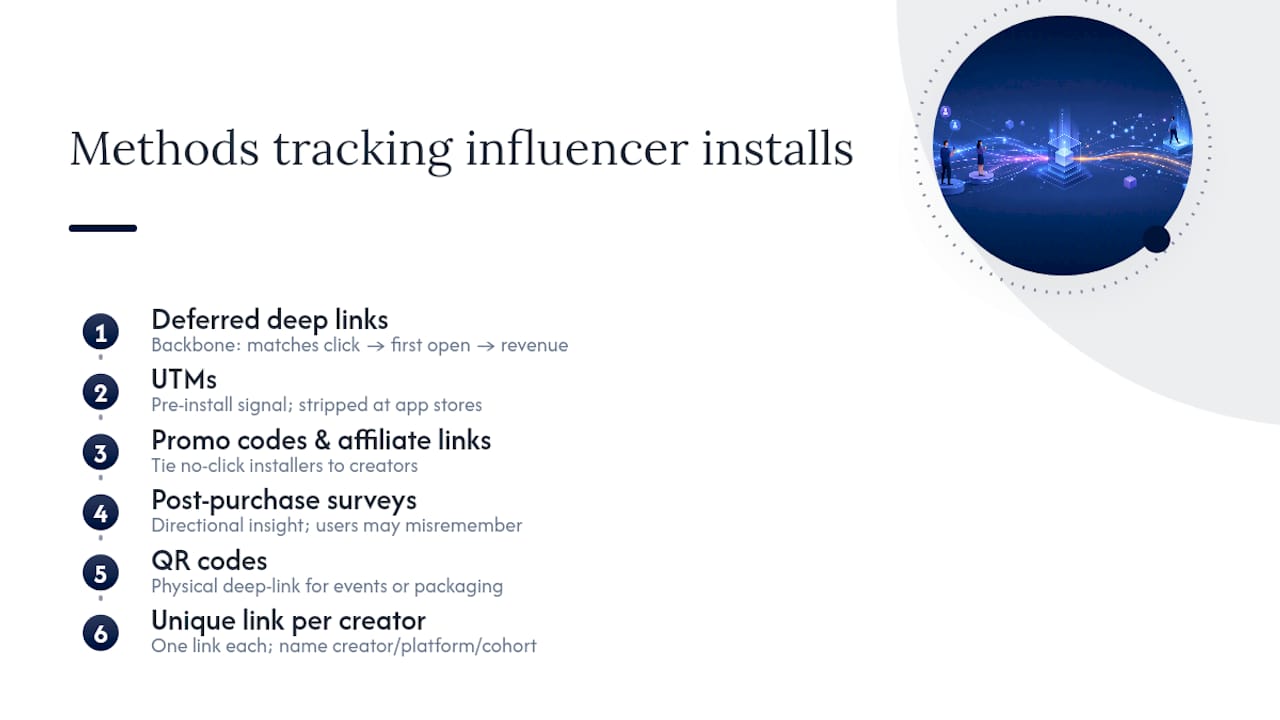
No single tracking method catches every influencer-driven install, which is exactly why the best-performing campaigns run three or four methods at once instead of betting on one. Each method captures a different slice of the funnel, and the gaps between them are where most attribution disputes with creators actually start.
Deferred deep links are the backbone. A deferred deep link recognizes a user who clicked a creator's link, went through the App Store or Google Play install flow, and then opens the app for the first time, routing them straight to the right onboarding screen instead of a generic home page. Because the link survives the store redirect, it can match a click to a first open and any revenue event that follows. The catch: you need a mobile measurement partner (MMP) SDK installed and configured correctly on both iOS and Android, and testing across devices matters more than most teams budget for.
UTMs work well in web-first funnels, like a creator's link-in-bio page that sends traffic to a landing page before the app install. They fall apart the moment a user lands on an App Store page, because Apple and Google strip most custom parameters during the handoff. Treat UTMs as a pre-install signal, not a full attribution method for the app install itself.
Promo codes and affiliate links solve the problem UTMs can't: the no-click, no-tap installer. Someone watches a creator's video, remembers the brand name, and searches for the app directly a day later. That installer never generates a trackable click, but a promo code entered at signup ties them straight back to the creator. Embedding a promo code as a fallback parameter inside the deep link covers both behaviors with one asset.
Post-purchase surveys ("How did you hear about us?") are directional, not precise. Users misremember, skip questions, or credit the wrong platform. Still, surveys are useful for spotting a creator or platform your other methods are undercounting.
QR codes function like a physical deep link, useful for events, packaging, or podcast overlays where typing a URL is friction.
A practical rule: one unique link per creator, never one shared link per campaign. Name parameters consistently, something like creator_handle, campaign_id, content_type, and post_date, so you can slice performance later without reverse-engineering a URL string.
What Steps Should You Take Before Launch?
Attribution problems almost always trace back to setup mistakes made before the first creator post ever went live. Run through this sequence before any campaign launches, not after the first reporting discrepancy shows up.
- Generate a unique link per creator with named parameters for creator, campaign, content type, and post date. Store the mapping in a shared sheet or your MMP dashboard so anyone on the team can trace a link back to its source.
- Set your attribution window to a longer period commonly recommended for influencer campaigns. Influencer content often gets watched, rewatched, and acted on well after the post date, and many best-practice guides point to longer windows for influencer traffic than for standard paid ads. A 7 day default window built for paid social will undercount influencer installs badly.
- Install and verify your attribution SDK on both platforms in staging. Simulate a click, a store redirect, and a first open on real iOS and Android devices, not just an emulator, before trusting the numbers in production.
- Wire in-app events to billing. Trial starts, payment method added, and subscription confirmed all need to flow into your attribution platform, not just sit in your billing system. This is the difference between reporting installs and reporting revenue.
- Create short, unique promo codes and map redemptions to individual creators in a spreadsheet or your affiliate platform. Keep codes memorable. A code like
SARAH20gets typed correctly far more often than a random alphanumeric string. - Run a QA pass: end-to-end click-to-install tests, a check that parameters persist after the store redirect, a live promo code redemption test, and a sanity check comparing dashboard numbers against a manual count of test installs.
Pro Tip: Run your QA tests from a cellular connection, not office Wi-Fi. Ad blockers, VPNs, and corporate network rules distort click tracking in ways that never show up when everyone tests from the same office router.
Skipping step 3 is the single most common failure point. Teams launch a campaign, see installs in the dashboard, and assume the SDK is working, only to discover weeks later that half the attributed installs were actually misclassified as organic because the deep link never fired correctly on one platform.
How Do You Measure RPI and LTV Per Creator?
Install counts tell you almost nothing about whether a creator campaign worked. Revenue per install (RPI) and cohorted lifetime value (LTV) tell you everything, because they connect a creator's audience directly to what that audience actually pays. Marketers who track trial starts, payment additions, and subscription events alongside billing data can calculate RPI per creator instead of guessing from install volume alone.
Build your creator-level report around these metrics:
- Clicks and attributed installs — the top of the funnel, split by creator.
- Install to trial rate — how many attributed installs actually start a trial.
- Trial to paid rate — the conversion that separates a creator who drives curiosity from one who drives buyers.
- RPI — total revenue attributed to a creator's installs, divided by install count.
- Cohorted LTV — revenue tracked over 30, 60, and 90 day windows per creator cohort, which reveals whether a creator's audience sticks around or churns fast.
Before crediting any of this to influencer spend, measure your organic install baseline over a comparable pre-campaign period. Subtract that baseline from your campaign-period totals to isolate real lift, otherwise you'll credit a creator for installs your app was already generating.
One number worth anchoring to: industry measurement is shifting toward revenue and retention over raw install counts, with cohort LTV comparisons increasingly deciding which creators get renewed budget and which don't.
Decide upfront which system is your source of truth. Your MMP should own install and click attribution. Your billing platform should own revenue truth. GA4 or Looker Studio should unify both into one dashboard rather than forcing stakeholders to reconcile three separate exports. Report weekly, sliced by creator, content format, platform, and install cohort, and pick one primary KPI so the whole team optimizes toward the same number instead of arguing over which metric matters most.
Why Does Influencer Tracking Break, and How Do You Fix It?
Most attribution gaps trace back to five recurring failure points, and each one has a known fix.
- App Store redirect loss: UTMs and query parameters frequently vanish during the store handoff. Fix it by relying on deferred deep links with server-side click logging rather than client-side parameters alone.
- Cross-device journeys: someone clicks on their phone, installs on a tablet, or watches on a shared TV screen and installs later on their own device. Promo codes, affiliate links, and surveys triangulate what device-based tracking alone will miss.
- Link shorteners stripping parameters: generic shorteners often drop the metadata your dashboard needs. Verify parameters survive the redirect, or use your attribution provider's own shortener instead of a free third-party tool.
- Mismatched attribution windows: a 7 day default window will systematically undercount influencer conversions that happen on day 12 or day 20. Document a 14 to 30 day window specifically for influencer traffic and apply it consistently.
- Creator reporting gaps: a creator's self-reported view count rarely matches your attribution dashboard, especially for content shared outside the original post, like screenshots or reposts. Require proof-of-post screenshots in your contract, or use a listening tool to capture earned mentions your links never touch.
Pro Tip: When a creator's reported numbers and your dashboard disagree by more than 20%, check the attribution window first. That single setting resolves more "missing install" disputes than any technical bug does.
How Do Managed Creator Networks Handle This End-to-End?
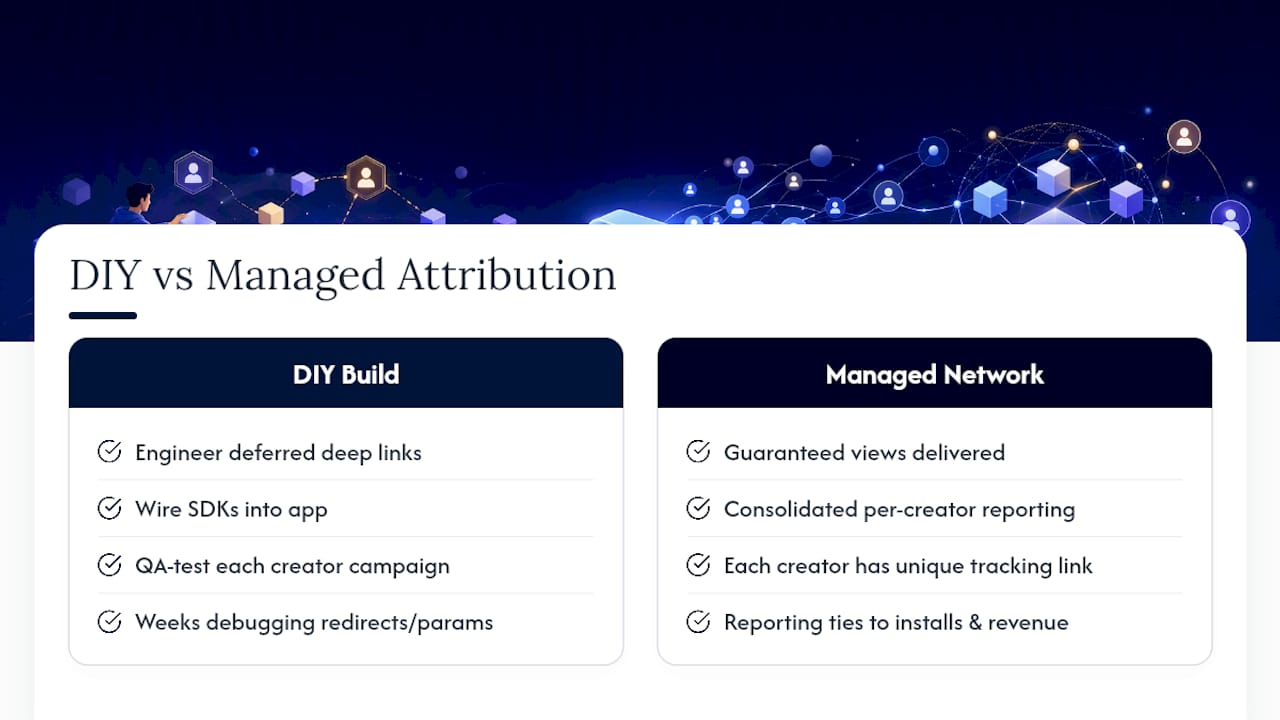
A managed workflow follows the same logic as a DIY stack, just with the engineering already built. A unique deferred deep link goes out per creator, matches through the MMP SDK to a first open, connects to in-app event tracking, and rolls up into per-creator revenue reporting, without a growth team having to build or maintain any of it.
Cult Media runs campaigns this way for consumer tech apps, pairing guaranteed view delivery with the tracking infrastructure needed to credit installs and revenue back to specific creators. The trade-off is straightforward: a managed network removes engineering setup time and QA overhead, while a DIY stack gives you full control at the cost of the weeks it takes to build and test everything above correctly. Teams without dedicated attribution engineering, or those needing guaranteed delivery volume, tend to find the managed route closes the gap faster.
Where Should You Focus in the Next 72 Hours?
If you take one thing from this: unique deferred deep links per creator, wired to in-app events and billing, will fix more attribution problems than any other single change you can make. Everything else, promo codes, surveys, QR codes, is a fallback for the installs that link tracking misses.
For the next 72 hours, build unique links for your top five creators, run a full click-to-install-to-event test on real devices, and get one revenue event (trial start or payment added) flowing into your dashboard alongside a matching promo code. That's enough to start seeing real RPI numbers within a week.
If your team lacks the engineering time to build and maintain this stack, or you need guaranteed view volume without the ramp-up, that's the point to consider a managed partner instead of building everything from scratch.
— Jax
Skip the Build: A Performance-Based Alternative to DIY Attribution
There is an alternative to building your own attribution stack from scratch: instead of engineering deferred deep links, wiring SDKs, and QA-testing every creator campaign yourself, you can use a managed creator network that ships guaranteed views and consolidated per-creator reporting from day one.

That means no weeks spent debugging App Store redirects or chasing down a broken parameter string before your first campaign even launches. Every creator in the network runs on a unique tracking link, and the reporting connects straight back to installs and revenue so you know exactly what each creator's audience is worth, not just how many people clicked. Pricing can be tied to verified views delivered, so you pay for results instead of a flat retainer regardless of outcome.
If your growth team is stretched thin on engineering bandwidth or you need guaranteed delivery volume for a launch window, see how Cult Media's creator network works and get a sense of what a managed campaign could look like for your app.
Where to Go Deeper on Influencer Attribution
These resources cover the technical and strategic pieces this guide only summarizes:
- Adjust's guide to influencer measurement for apps covers connecting attribution platforms to billing systems for RPI reporting.
- Later's influencer marketing metrics guide explains building a redundant tracking stack across UTMs, promo codes, and surveys.
- Airbridge's deep-linking guide breaks down deferred deep link mechanics for influencer campaigns in detail.
- Influencer Marketing Hub's measurement framework explains choosing a single north-star KPI for campaign optimization.
- Sprout Social's 2026 metrics guide covers pairing performance data with sentiment tracking.
- ChottuLink's guide to link shorteners explains why parameter loss happens and how to prevent it.
- Cult Media's list of influencer analytics tools breaks down tool categories for evaluating attribution platforms.
Sources
- Influencer marketing for apps: How to measure campaigns | Adjust
- How to Measure Influencer Marketing: Metrics, ROI, Tools | Later
- How to Track Influencer App Installs with Deeplinks - Airbridge
- How to measure influencer marketing success | Influencer Marketing Hub
- The influencer marketing metrics to track in 2026 | Sprout Social
FAQ
How Do You Track Influencer Campaigns?
Combine a unique deferred deep link per creator with in-app event tracking, promo codes, and post-purchase surveys, then route all the data into one dashboard so no single method has to carry the whole attribution burden.
What Are the Best Influencer Tracking Platforms?
The strongest options are mobile measurement partners with deferred deep-linking support, paired with GA4 or Looker Studio for unified reporting; evaluate them on how well they preserve parameters through App Store redirects and connect to your billing system.
What Is Traackr Used For?
Traackr is an influencer marketing platform used primarily for creator discovery, relationship management, and campaign performance tracking, often used alongside a mobile measurement partner rather than replacing one for app install attribution.
What Are Some Common Niches Influencers Work In?
Common influencer niches include beauty and skincare, fitness and wellness, tech and gadgets, gaming, and personal finance, though consumer app campaigns increasingly work with lifestyle and productivity creators outside those traditional categories too.
Why Should You Track In-App Events, Not Just Installs?
Install counts don't tell you whether a creator's audience actually pays; tracking trial starts, payment additions, and subscriptions against attribution data reveals RPI and LTV, the numbers that actually justify campaign spend.