
For one-off campaign links, the Campaign URL Builder from Google is the fastest free starting point. For teams managing recurring campaigns across multiple channels, CampaignTrackly or Terminus deliver the governance controls that prevent attribution fragmentation at scale.
| Tool | Best For | Price Tier | Why Choose It |
|---|---|---|---|
| Google Campaign URL Builder | Single, ad-hoc tagged links | Free | Official GA4 alignment, zero setup |
| utm.new | Instant browser-bar link creation | Free | Fastest possible access, no account needed |
| CampaignTrackly | Team QA, templates, GA4/Adobe integration | Paid (free trial) | Governance plus automated link validation |
| Terminus UTM Builder | Enterprise taxonomy and audit trails | Paid | Grid mode, centralized naming, permissions |
| Rebrandly | Branded short links with UTM tagging | Free + Paid | Custom domains alongside parameter management |
| utmBuilder (utmbuilder.net) | Lightweight individual use | Free | Simple interface, no login required |
Quick verdicts:
- Best free one-off link builder: Google Campaign URL Builder
- Best for team governance and QA: CampaignTrackly
- Best for enterprise taxonomy control: Terminus UTM Builder
- Best for branded short links: Rebrandly
- Fastest ad-hoc access: utm.new
Key Takeaways
The most effective UTM tracking setup pairs a governance-enforced naming convention with a tool class matched to team size, starting with lowercase enforcement as the non-negotiable baseline.
| Point | Details |
|---|---|
| Free tools for one-off links | Google Campaign URL Builder and utm.new cover individual campaign tagging with zero setup. |
| Governance tools for teams | CampaignTrackly and Terminus enforce naming conventions, bulk workflows, and audit logs at scale. |
| Lowercase is non-negotiable | Case differences create separate sources in GA4, permanently fragmenting channel reporting. |
| Set all required fields | Missing utm_source, utm_medium, or utm_campaign causes "(not set)" values in GA4 reports. |
| Cult Media for managed campaigns | Cult Media delivers creator campaigns with consistent UTM tagging built in, on a performance-only pricing model. |
Table of Contents
- What are the best UTM builders for marketing teams?
- How do you build a correct UTM link step by step?
- How do you choose the right UTM builder for your team?
- How we selected and evaluated these tools
- When does a managed solution beat DIY UTM tools?
- Cult Media's approach to campaign measurement
- Sources
- FAQ
- Useful docs and reference pages
What are the best UTM builders for marketing teams?
The right UTM builder tool depends on whether you need a quick link or a governed workflow. Here is how the full field breaks down.
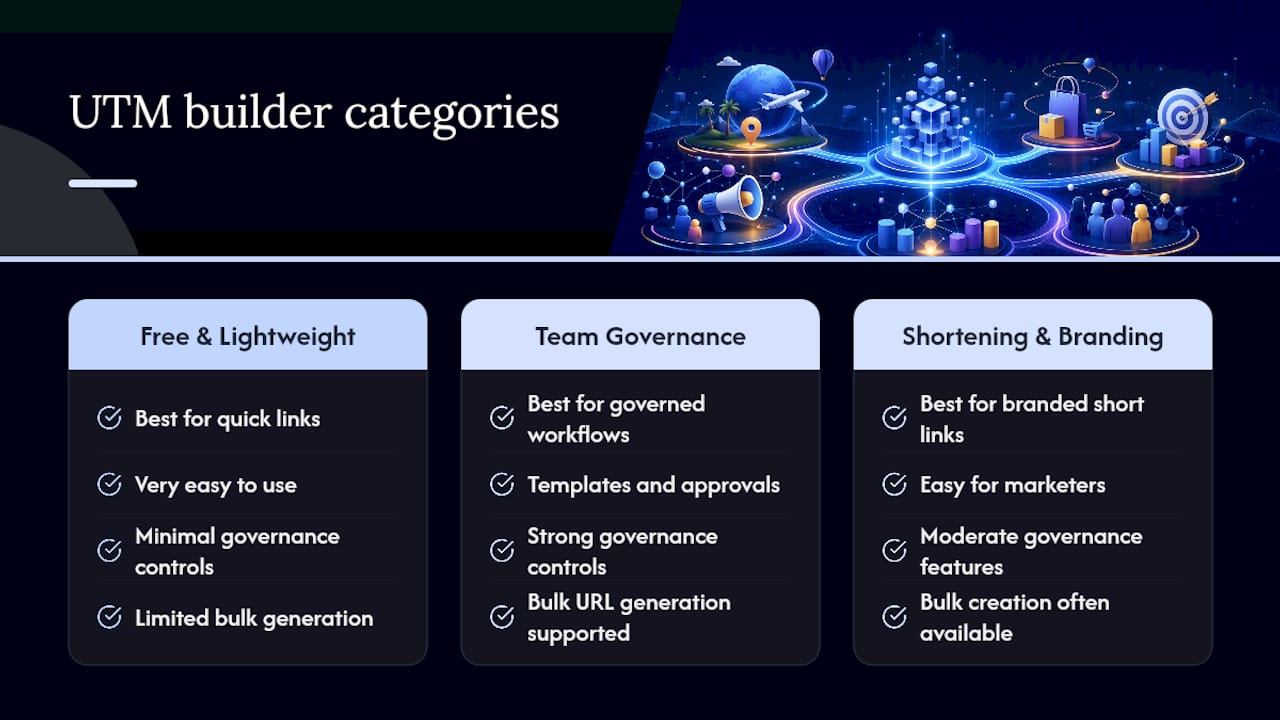
Free and lightweight builders
Google Campaign URL Builder is the reference tool for one-off UTM links. It maps directly to GA4's standard parameters, requires no account, and outputs a correctly formatted URL in seconds. For individual campaigns and small-scale needs, it covers everything required.
utm.new is a browser shortcut that opens Google's builder pre-loaded. Type utm.new in your address bar and you land directly in the form. There is no faster path to a tagged link.
utmBuilder (utmbuilder.net) offers a clean, no-login interface for solo marketers who want a slightly different layout than Google's native tool. No bulk features, no governance, but zero friction.
UTM Smart Manager (also listed as Smart UTM Manager) targets users who want saved parameter sets and a cleaner history of previously built links. It sits between a pure free tool and a full team platform.
CampaignTracker is a lightweight option for tracking campaign links in a spreadsheet-adjacent workflow. It suits small teams that already manage campaigns in Google Sheets or Excel.
OWOX UTM Builder is positioned as a free tool with a focus on analytics integration. OWOX's own review roundups note that free tools handle ad-hoc tagging well but lack the bulk and governance features teams need at scale.
Facebook Google Analytics URL Builder is a dedicated builder for tagging Facebook Ads traffic destined for GA4 reporting. It pre-fills utm_source and utm_medium for Facebook placements, reducing manual error on paid social campaigns.
Raven Tools URL Builder is part of the broader Raven Tools SEO and reporting suite. It generates UTM-tagged URLs and feeds them into Raven's campaign reporting, making it most useful for agencies already using that platform.
Team and governance platforms
CampaignTrackly is the strongest mid-market governance option. It enforces naming conventions, runs automated QA checks on links before they go live, and integrates with GA4 and Adobe Analytics. Vendor feature pages confirm it supports bulk generation, audit logs, and campaign metadata management, which directly addresses the fragmentation risk that plagues teams with multiple campaign owners.

Terminus UTM Builder (Terminus App) is built for enterprise teams with complex taxonomies. Its grid mode lets you build multiple URLs simultaneously, and its centralized taxonomy library enforces consistent naming across every campaign owner. Workspaces, SSO, and permissions are standard, per Terminus's governance hub documentation.
Triggerbee Link Creator combines campaign tagging with on-site personalization workflows. It suits teams running website personalization alongside paid campaigns, where the same link needs to trigger both a UTM tag and a personalization rule.
Link shortening and branding
Rebrandly is the clearest choice when branded short links matter as much as the UTM parameters themselves. Custom domains, link management, and click analytics sit alongside standard UTM tagging. It is not a governance platform, but for brand-conscious teams distributing links across social and email, the custom domain capability is the differentiator.
Full comparison table
GA4 attribution note: Missing or inconsistent utm_medium values are the most common cause of "Unassigned" traffic in GA4 channel groupings. Google's campaign tagging guidance confirms that empty required fields surface as "(not set)" in reports. Tools with required-field enforcement, like CampaignTrackly and Terminus, prevent this before a link is ever published.
Some free builders also support dynamic macros for ad networks, inserting platform-specific values like {placement} or {keyword} at ad-serve time. This is particularly useful for Google Ads ValueTrack parameters and Meta's dynamic URL options.
How do you build a correct UTM link step by step?
Every UTM link needs at minimum: utm_source, utm_medium, and utm_campaign. Add utm_id and utm_source_platform when your GA4 setup uses them for cross-channel attribution.
Steps to build a correctly encoded UTM link:
- Start with your destination URL (e.g.,
https://example.com/landing-page). - Decide your parameter values before opening any tool. Lock in naming conventions first.
- Enter values in your chosen builder. Use lowercase for every value.
- If the destination URL already contains a query string (
?param=value), confirm the builder appends UTM parameters with&rather than a second?. - Copy the output and test it in a browser before distributing.
- Log the link in a shared spreadsheet or your governance platform.
Paid social example:
https://example.com/landing?utm_source=facebook&utm_medium=paid_social&utm_campaign=spring_launch_2026&utm_content=video_ad_v1
Email campaign example:
https://example.com/landing?utm_source=newsletter&utm_medium=email&utm_campaign=spring_launch_2026&utm_content=cta_button
Always use lowercase for UTM values. Google Analytics and most analytics platforms treat
Pro Tip: Build a master naming dictionary in a shared Google Sheet or Excel file before your team touches any UTM builder. Define approved values for utm_source, utm_medium, and utm_campaign prefixes. Every builder session then becomes a lookup, not a freeform entry.
How do you choose the right UTM builder for your team?
Match the tool class to the actual workflow, not the most feature-rich option available.
Decision by team size:
- Solo or one-off campaigns: Google Campaign URL Builder or utm.new. Free, instant, no overhead.
- Small marketing team (2–10 people): UTM Smart Manager or CampaignTracker for basic shared history; CampaignTrackly if QA and naming consistency are already causing reporting problems.
- Enterprise or agency (10+ campaign owners): Terminus or CampaignTrackly. Governance, SSO, audit logs, and bulk workflows are non-negotiable at this scale.
Selection questions to ask any vendor:
- Does the tool enforce lowercase and block reserved characters automatically?
- Can you create reusable templates with locked fields and dropdown-only values?
- Is bulk/batch URL generation available, and what is the export format?
- Does it offer an API or Zapier integration for automated link creation?
- Are there workspace-level permissions and SSO support?
- Does it preview GA4 channel grouping before the link is published?
- Is pricing transparent at scale, and are there per-seat or per-link limits?
Red flags to watch for:
- No bulk export capability for teams running more than a handful of campaigns per month
- No template or required-field enforcement, leaving naming to individual judgment
- Pricing that jumps sharply at volume thresholds without a clear tier structure
- No audit log, meaning you cannot trace who created or modified a link
Data privacy and compliance: When using cloud-based UTM builders, campaign metadata (destination URLs, parameter values, and link histories) is stored on vendor servers. For teams handling sensitive campaign data or operating under CCPA or HIPAA-adjacent requirements, review each vendor's data retention and export policies before committing. Self-hosted or spreadsheet-based workflows keep data fully in-house, which some compliance teams require.
How we selected and evaluated these tools
The shortlist was built on governance capability, confirmed GA4 compatibility, bulk workflow support, API availability, pricing transparency, and documented real-world usage.
Evaluation sources used:
- Official Google Campaign URL Builder documentation and GA4 support articles
- Vendor feature pages and public documentation for each tool
- Google Analytics channel grouping guidance for attribution mapping validation
- OWOX's free UTM builder roundup for independent feature comparisons
- UTM.io's governance hub documentation for enterprise feature benchmarking
- Google Ads ValueTrack parameter documentation for dynamic macro validation
Vendor claims were cross-checked against public documentation where possible. Tools with no documented bulk or governance features were categorized as lightweight/free-tier options regardless of marketing copy.
Selection principle: A tool earns a governance classification only when its public documentation confirms template enforcement, required-field validation, and audit logging. Marketing copy alone does not qualify.
When does a managed solution beat DIY UTM tools?
For high-volume, multi-brand, or cross-platform campaigns where measurement integrity is mission-critical, a managed or agency-led solution typically outperforms any self-serve UTM builder.
The core problem with DIY governance is human consistency. A team of ten campaign managers using even the best UTM builder will eventually produce Facebook, facebook, FB, and fb as utm_source values in the same reporting period. The tool did not fail. The process did. Managed solutions address the process layer, not just the tooling layer.
Two scenarios where this matters most: a consumer app running creator campaigns across TikTok, Instagram, and YouTube simultaneously, where each platform's link needs consistent naming to roll up into a single channel view; and a growth team scaling UGC-driven installs across dozens of creator partnerships, where each creator link must be individually tagged but governed by a single naming schema.
Piloting a managed approach does not require a full platform migration. Start by auditing your last 90 days of GA4 source/medium data for fragmentation. If you find more than five variants of the same intended source, the DIY workflow has already cost you attribution accuracy.
Cult Media's approach to campaign measurement
The UTM builders compared above handle the tagging layer. Cult Media operates at the campaign layer, where the links are actually deployed.
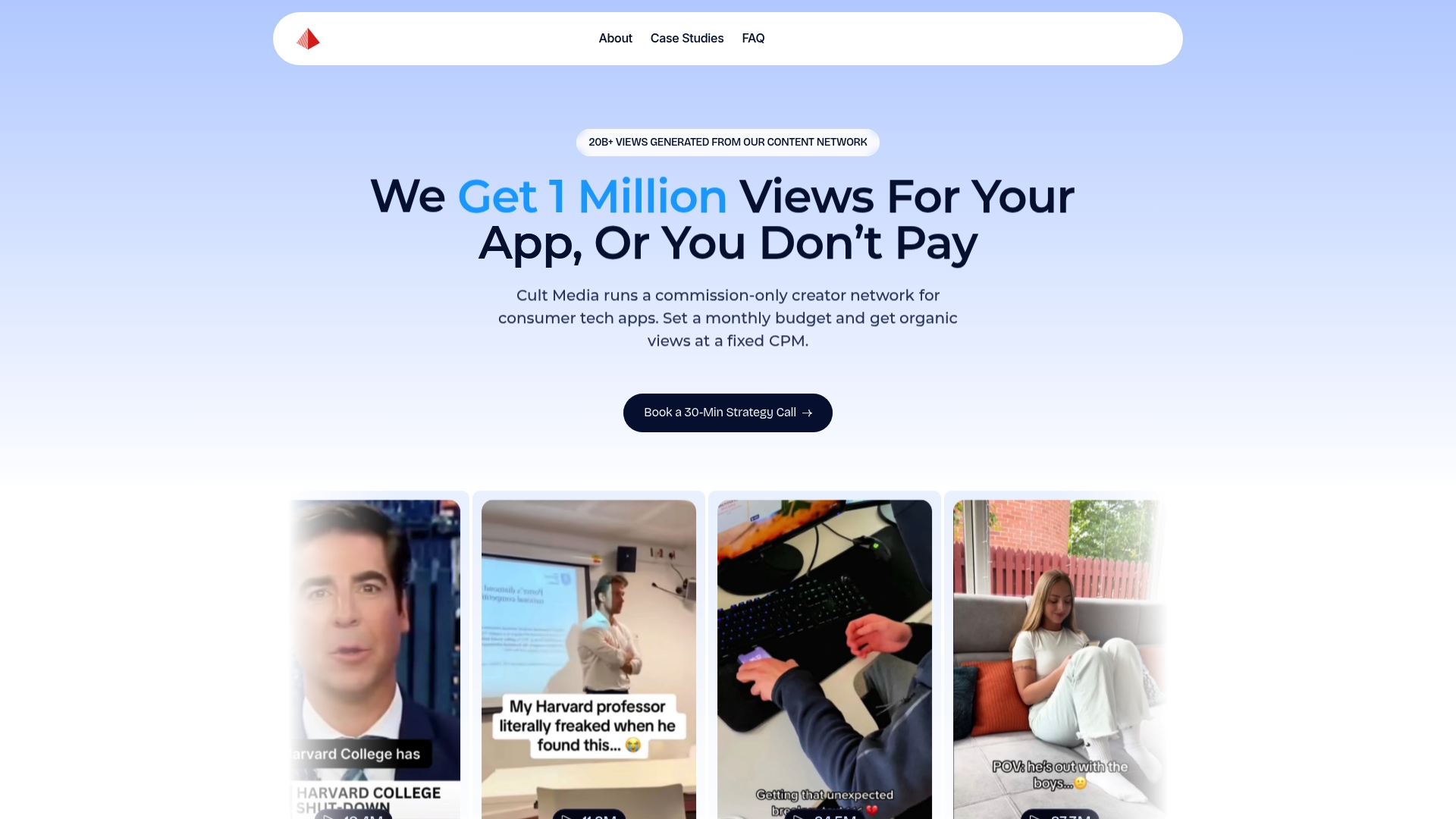
Cult Media runs a commission-only creator network built specifically for consumer tech apps. Instead of paying a retainer to manage UTM governance internally, app growth teams get end-to-end creator campaign management, with content distributed across TikTok and Instagram at scale and fees tied only to verified views delivered. Every campaign ships with consistent UTM tagging baked into the creator brief, so attribution data lands clean in GA4 from day one. No fragmented source values, no post-campaign cleanup. For teams where measurement integrity and CAC efficiency are the same problem, Cult Media's performance model is the direct alternative to building that infrastructure yourself.
Sources
- Campaign source / medium / campaign parameters (Google Analytics)
- UTM builder (Plausible)
- CampaignTrackly
FAQ
What is the best free UTM builder for a single marketer?
The Google Campaign URL Builder is the strongest free option for individual use. It requires no account, aligns natively with GA4, and produces correctly formatted links in under a minute.
Why do UTM values need to be lowercase?
Analytics platforms including Google Analytics treat uppercase and lowercase values as distinct sources. Facebook and facebook appear as two separate rows in your reports, splitting attribution data that should be unified.
Which UTM builder is best for enterprise teams?
Terminus UTM Builder and CampaignTrackly are the leading options for enterprise use. Both offer centralized taxonomy control, bulk generation, audit logs, and SSO, which are the features that prevent naming drift across large campaign teams.
What happens if I leave UTM fields blank in GA4?
Missing required fields surface as "(not set)" or "Unassigned" in GA4 channel grouping reports, per Google's campaign tagging documentation. This makes it impossible to accurately attribute traffic to its source without retroactive data correction.
Do UTM builders support dynamic ad macros?
Several free and paid builders support platform-specific dynamic macros. These insert values like {keyword} or {placement} at ad-serve time for Google Ads and Meta campaigns, reducing manual parameter entry for large paid media builds.
Useful docs and reference pages
- Google Campaign URL Builder — the official free tool; start here for any one-off link
- GA4 campaign parameter documentation — defines utm_source, utm_medium, utm_campaign, and how GA4 ingests each
- Google Analytics campaign tagging help — explains "(not set)" behavior and required field guidance
- CampaignTrackly — governance, QA, and bulk generation for marketing teams
- Terminus UTM Builder — enterprise taxonomy hub with grid mode and audit trails
- UTM.io — team governance platform with workspaces and saved parameter libraries
- OWOX UTM Builder roundup — independent comparison of free UTM tools with feature notes