
UGC for app installs is the fastest, most cost-efficient lever in mobile user acquisition right now. The core playbook is straightforward: deploy platform-native UGC creative across TikTok, Meta, and Google App Campaigns, add a real-person preview to your App Store and Google Play listings, source creators on performance briefs, and run a disciplined A/B testing loop tied to your mobile measurement partner (MMP). Done correctly, this approach consistently compresses CPI and lifts install conversion rates at a fraction of studio production cost.
The 6-step quick-start checklist:
- Step 1 — Store listing: Add a UGC preview video (real device, real person, 15–30 seconds) to your App Store and Google Play listings before running any paid traffic.
- Step 2 — Paid UGC ads: Launch TikTok and Meta app-install campaigns using creator-shot 9:16 UGC clips with a hook in the first 1–2 seconds.
- Step 3 — Creator sourcing: Brief creators using a performance-first template that specifies hook, required screen footage, call-to-action, and deliverable format.
- Step 4 — A/B testing: Run 5–10 creative variants per ad set, holding audience and copy constant, over a 3–7 day test window.
- Step 5 — Measurement: Track CPI, CTR, install CVR, and D7 retention via your MMP; use view-to-install rate as an early signal before install volume stabilizes.
- Step 6 — Moderation and rights: Secure redistribution and ad-usage rights before publishing any creator content; enforce Google Play's moderation requirements for any in-app UGC your users generate.
The performance case is clear. UGC-style ads generate on average 34% lower CPI compared to studio-produced demo videos, and feature several times higher CTR than standard brand ads. TikTok-native UGC creative can outperform polished brand creative on install rate by approximately 2.1×. Tutorial and testimonial formats drive up to 45% more installs per thousand impressions compared to other formats. These are the benchmarks to test against, and Cult Media's commission-only creator network is built specifically to help consumer tech apps reach them at verified scale.
Table of Contents
- Which UGC formats actually drive app installs?
- How to source authentic UGC at scale
- How to deploy UGC across channels and store listings
- What benchmarks should you expect from UGC campaigns?
- Moderation, rights, and store policy compliance
- How to recruit, brief, and compensate creators
- How a guaranteed-view creator model works in practice
- Key Takeaways
- Why performance-first creator partnerships are the right default
- Cult Media scales UGC installs on a performance-only basis
- Useful sources for UGC and app install marketing
Which UGC formats actually drive app installs?
Not every UGC format performs equally across every channel or app category. Choosing the right format for the right placement is where most teams leave CPI savings on the table.
App-store preview videos are the highest-leverage starting point. Real-device footage with a real person demonstrating the app in the first three seconds consistently outperforms motion-graphics-only previews. Apps with strong in-store UGC, including ratings and preview content, attract markedly higher organic downloads because reviews and preview media are both ranking and conversion signals in the App Store and Google Play algorithms.

TikTok-native creator clips are the format of choice for high-intent younger cohorts. These need to be built for TikTok, not repurposed from studio assets. Platform-native creative built as a TikTok skit or authentic walkthrough consistently outperforms polished brand video on the platform. Spec: 9:16, 15–30 seconds, hook delivered in the first 1–2 seconds, captions on.
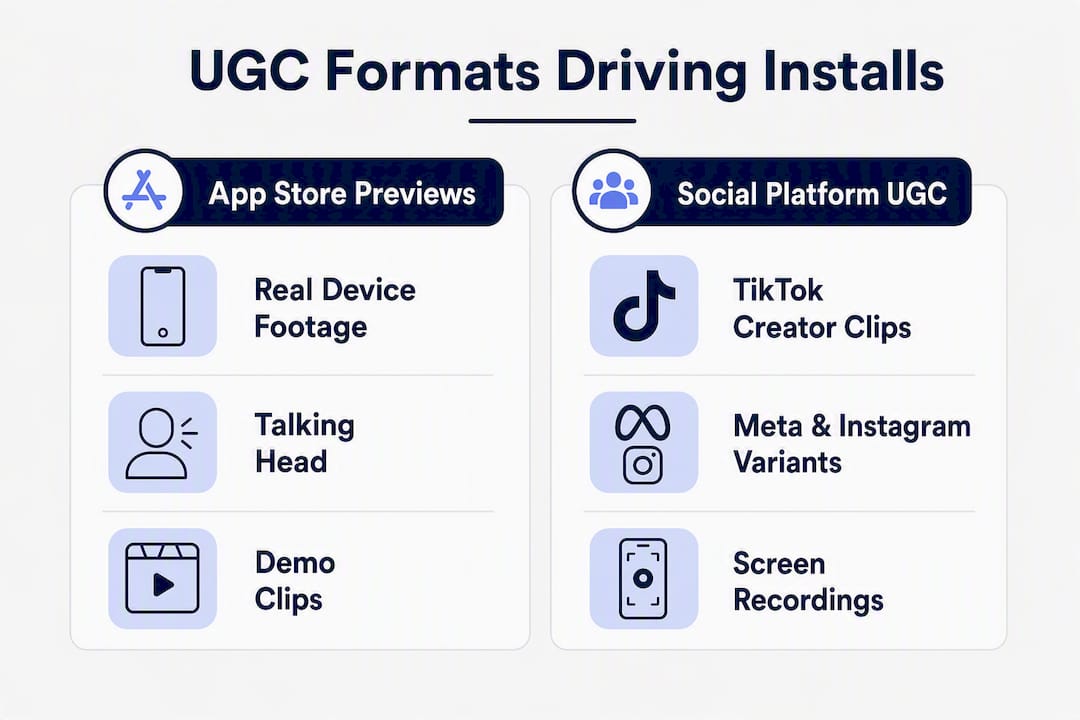
Meta and Instagram UGC variants scale well for broader demographic targeting. Both 1:1 (feed) and 9:16 (Reels/Stories) formats work, with 9:16 gaining ground. Testimonial and tutorial formats are the strongest performers here. Tutorial and testimonial UGC generates up to 45% more installs per thousand impressions than other formats, making them the default choice for utility, productivity, and finance apps.
Google App Campaign assets accept both UGC clips and screen recordings. Google's system auto-optimizes across Search, Display, YouTube, and Play, so supplying a mix of UGC creator clips and clean screen walkthroughs gives the algorithm more surface area to find winning combinations.
Gameplay clips serve mobile games specifically. Authentic player-captured footage, especially moments of achievement or surprise, outperforms scripted gameplay demos because it reads as social proof rather than advertising.
Format prioritization by funnel stage:
- Store preview first — immediate CVR lift with zero paid media spend required
- Meta UGC next — scalable lower CPI across broad audiences
- TikTok UGC for younger, high-intent cohorts
- Motion design reserved for complex feature explanations or retargeting sequences
Pro Tip: Keep your hook library separated by format. A hook that converts on TikTok ("I deleted every other app after finding this") rarely lands the same way in a Meta feed placement. Build format-specific hook variants from the start.
How to source authentic UGC at scale
Reliable UGC sourcing is an operational system, not a one-time ask. Teams that treat it as a pipeline consistently outperform those running ad-hoc creator requests.
Sourcing channels, ranked by reliability:
- In-app prompts at high-value moments: Trigger a review or content-share request immediately after a user completes onboarding, hits a milestone, or achieves a core outcome. Post-success moments produce the most authentic, benefit-focused UGC.
- Managed creator networks: Commission-only networks like Cult Media provide pre-vetted creators with demonstrated app-install campaign experience, removing the sourcing and vetting burden from your growth team entirely.
- Creator marketplaces: Platforms where you can post a brief and receive applications from creators. Useful for one-off tests, though quality control requires more internal effort.
- Community-driven contests: Ask users to post a screen recording or testimonial with a branded hashtag for a chance to win in-app credits or a cash prize. Effective for apps with an existing community.
- Rewarded UGC campaigns: Offer a direct incentive (premium feature unlock, gift card) in exchange for a video review or walkthrough. Works well for apps with a freemium model.
Consent and rights — non-negotiable:
Every piece of creator or user content you plan to use in ads or store listings needs an explicit redistribution license before you publish it. Capture the creator's name, handle, permission for edits, license duration, and territory in writing. A short consent snippet embedded in your creator brief is the simplest way to handle this at scale.
Quality checklist for usable UGC:
- Clear hook in the first 1–2 seconds
- App visible and in active use on screen
- Runtime of 15–30 seconds for ad placements
- One clear benefit or outcome communicated
- Readable captions throughout
- Natural-sounding audio (no background noise, no scripted monotone)
AI-assisted UGC tools can accelerate variant generation and localization, but they work best as a supplement to genuine creator content, not a replacement. Authentic creator footage still outperforms AI-generated UGC on trust signals and engagement depth.
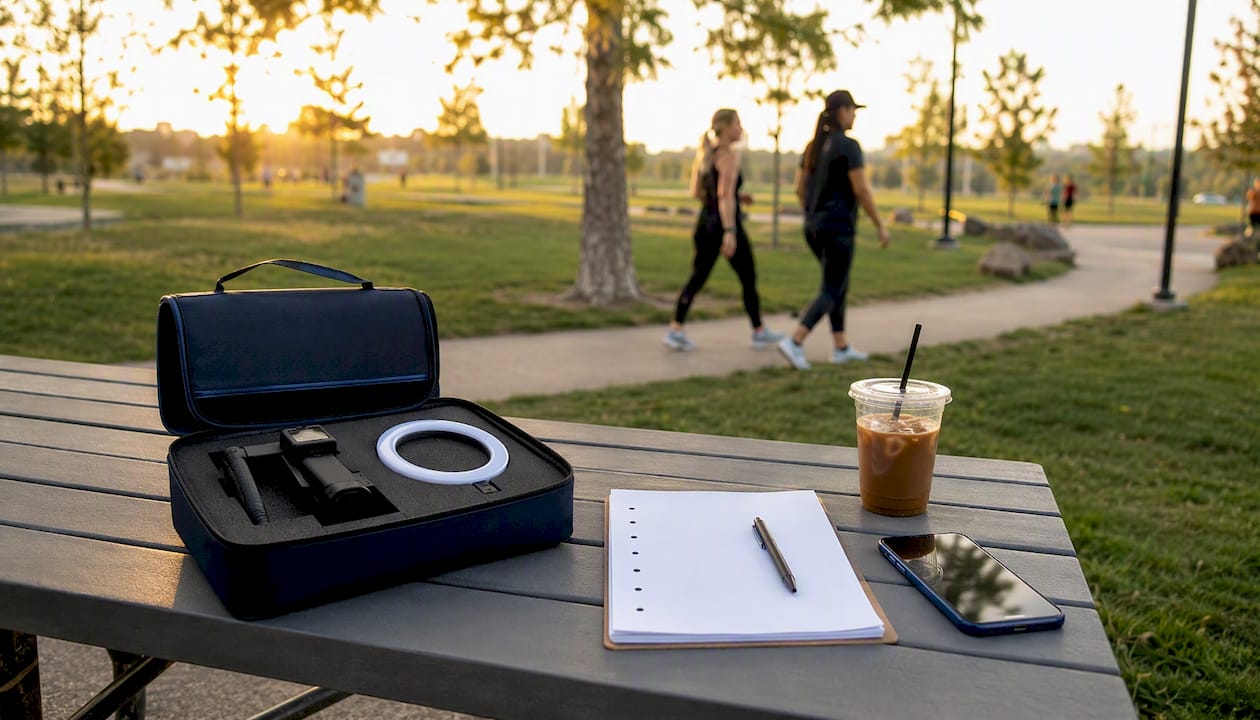
Pro Tip: Send creators a minimal capture kit: a phone mount, a ring light, and a three-bullet brief (hook idea, required screen moment, CTA). Fewer constraints produce more authentic footage; over-scripting kills the natural feel that makes UGC convert.
How to deploy UGC across channels and store listings
Sourcing great UGC is only half the equation. Where and how you deploy it determines whether it compounds into a sustainable install engine or burns out after one test cycle.
Channel deployment map
- App Store / Google Play preview slots: Upload your best real-person walkthrough as the first preview video. Keep it under 30 seconds. Front-load the core benefit in the first three seconds because most users never watch past that point.
- TikTok app-install campaigns: Use TikTok's App Campaign objective with creator-shot 9:16 UGC as the primary creative. Refresh creative every 2–3 weeks to prevent ad fatigue. Never repurpose a Meta asset directly onto TikTok.
- Meta Advantage+ app campaigns: Upload 3–5 UGC variants per ad set in both 1:1 and 9:16 formats. Meta's system will auto-allocate spend toward the best performer, so variant volume matters more than manual audience segmentation at the creative-testing stage.
- Google App Campaigns: Supply a mix of UGC creator clips, screen recordings, and static images. Google's algorithm tests combinations across its network automatically. Aim for at least five video assets per campaign to give the system enough variation.
- Owned social channels: Repurpose winning ad creative as organic posts. High-performing UGC ads often double as strong organic content, extending their value without additional production cost.
Testing playbook
- Run 5–10 creative variants per ad set during the test phase.
- Hold audience targeting, bid strategy, and copy constant. Change only the creative variable.
- Use a 3–7 day test window for early signal. Hook completion rate, 3-second view rate, and click-to-install ratio are your leading indicators before install volume reaches statistical significance.
- Scale winners by duplicating the winning ad set with a higher budget. Do not edit the original.
- Refresh TikTok creative every 2–3 weeks. Meta creative typically sustains performance for 4–6 weeks before fatigue sets in.
Operational governance:
- Maintain a hook library with tagged performance data (CTR, install CVR, platform).
- Log every creative variant with its test date, audience, and result.
- Retire underperforming creative decisively. Keeping weak variants in rotation dilutes learning velocity.
Pro Tip: For App Store preview slots, test two versions: one that opens on a real-person talking head, and one that opens on the app screen. The winner varies by category — social and lifestyle apps tend to favor the talking head; productivity and finance apps often convert better with the screen-first approach.
What benchmarks should you expect from UGC campaigns?
Measurement discipline is what separates teams that scale UGC efficiently from those that run it as a branding exercise. Tie every creative test to your MMP from day one.
Key metrics to track
- CPI (Cost Per Install) by creative and channel
- CTR at the creative level
- Install CVR (click-to-install conversion rate)
- D7 retention to validate install quality, not just volume
- View-to-install rate as an early signal on TikTok and organic placements
- ROAS at the creative level once install volume is sufficient
- Creative-level attribution via your MMP (AppsFlyer, Adjust, or similar)
Benchmark reference table
| Creative type | Relative CPI | CTR vs. brand average | Install rate index |
|---|---|---|---|
| UGC creator clip (TikTok-native) | ~34% lower than studio demo | Up to 4× higher | ~2.1× vs. polished brand creative |
| Tutorial / testimonial UGC (Meta) | ~45% more installs per 1,000 impressions vs. other formats | Above average | Up to 45% more installs per 1,000 impressions |
| Screen recording (Google App Campaign) | Moderate | Moderate | Baseline |
| Studio motion design | Baseline (highest cost) | Below UGC average | Baseline |
Sources: Collab Only benchmark data; Pixis.ai 2025 format data
Benchmark signal: 93% of marketers report UGC outperforms branded content, and social posts featuring UGC convert approximately 29% better than brand-only posts. These figures hold across app categories, not just consumer social apps.
Testing checklist
- Define a clear hypothesis before launching (e.g., "hook-first testimonial will outperform screen-only on Meta")
- Isolate the creative variable; hold all other campaign parameters constant
- Run the same audience and daily budget across all variants
- Use your MMP for attribution, not platform-reported installs alone
- Measure for at least 3–7 days, or until you reach a statistically meaningful sample
- Track D7 retention alongside CPI to confirm install quality
Moderation, rights, and store policy compliance
Apps that host user-generated content face mandatory compliance requirements from both Google Play and Apple's App Store. Non-compliance is not a minor risk — it can result in app removal.
Google Play moderation requirements are explicit. Google Play requires any app that allows users to post visible UGC to provide: clear terms of use, in-app reporting and blocking systems, automated filters for objectionable and sexual content, and a content-rating questionnaire response that accurately reflects the UGC your app hosts. Failing any of these requirements puts the app at risk of policy violation and removal.
Moderation implementation checklist:
- Publish clear, accessible terms of use that cover UGC before any user can post
- Build a reporting flow that lets users flag content directly within the app
- Implement user-blocking functionality
- Deploy automated filters for known objectionable content categories (sexual content, hate speech, graphic violence)
- Establish a human review escalation path for flagged content
- Maintain retention and removal logs for audit purposes
Consent and rights checklist for creator and ad UGC:
- Explicit redistribution license from every creator before content goes live
- Written permission for edits, remixes, and derivative use
- Defined license duration and territory
- Tamper-evident consent record stored for audit
Practical legal implementation: Link your UGC terms in the onboarding flow and require explicit acceptance before a user's first upload. For creator content used in ads, collect consent at the brief stage, not after delivery. Retroactive consent requests create friction and legal ambiguity.
How to recruit, brief, and compensate creators
Creator quality determines creative quality. Vetting and briefing creators correctly is where most teams either build a scalable UGC pipeline or waste budget on content that never gets approved for ads.
Creator selection criteria:
- Native platform reach on the channel where you plan to run ads (TikTok, Instagram, YouTube Shorts)
- Demonstrated experience with ad-style content, not just organic lifestyle posts
- Content authenticity: does their existing content feel natural, or scripted and over-produced?
- Demographic fit with your target user profile
- Prior app-install campaign experience, ideally with performance data they can share
Pricing models:
- One-off fee: $100–$700 per video depending on creator tier and deliverable count; useful for initial testing
- Per-video bundles: Negotiate a rate for 5–10 videos upfront; typically reduces per-video cost by 20–30%
- Performance-based pay: Base fee plus a bonus tied to install volume or view delivery; aligns creator incentives with campaign outcomes
- Commission-only guaranteed-view arrangements: The creator network (such as Cult Media's model) takes no upfront fee; the client pays a CPM rate only for verified views delivered, with a guaranteed view commitment built into the contract
Rights checklist for every creator agreement:
- Usage scope: ads, store listings, owned social channels
- Edit rights: can you cut, remix, or add captions?
- Duration: 12 months minimum for ad usage
- Exclusivity: category exclusivity for the campaign period
- Attribution: is a creator credit required in organic posts?
Sample brief outline:
- Target audience description (age, interest, pain point)
- Two or three hook ideas (the creator chooses or adapts)
- Required footage: screen recording of the core feature plus face-to-camera reaction
- Caption and call-to-action language
- Deliverable formats (aspect ratio, length, file type)
- Delivery timeline and revision rounds
- Acceptance criteria (hook timing, app visibility, audio quality)
Pro Tip: Always request two or three raw hook variants per creator, not just one finished video. Different hooks on the same underlying footage give you more test variants without additional production cost, and the winning hook is rarely the one you expected.
How a guaranteed-view creator model works in practice
The commission-only, guaranteed-view model is a structural departure from traditional influencer marketing. Understanding how it operates helps growth teams evaluate whether it fits their UA stack.
How the model works: The client pays a fixed CPM rate only for verified organic views delivered by the creator network. No views, no payment. The network manages creator sourcing, briefing, production oversight, and delivery verification, removing the operational burden from the app team entirely. View counts are verified against anti-fraud benchmarks before billing, so the client pays only for real, qualified reach.
Campaign flow:
- Brief: Client submits campaign objective, target audience, creative direction, and view guarantee target
- Creator production: Network sources and briefs matched creators; content is produced and reviewed against acceptance criteria
- Verified delivery: Views are tracked and verified against fraud benchmarks; the client receives a delivery report
- Measurement and reconciliation: Install attribution is tracked via the client's MMP; any view shortfall against the guarantee is reconciled in the next delivery cycle
What to expect operationally:
- Pilot campaigns typically establish a creative baseline within the first 2–4 weeks
- Winning creatives are identified by view-to-install conversion rate, then scaled across additional creators in the network
- Reporting cadence is typically weekly during active campaigns, with a reconciliation summary at campaign close
KPIs to track on guaranteed-view campaigns:
- Total verified views delivered vs. guarantee
- View-to-install conversion rate by creative
- CPI relative to your paid channel baseline
- D7 retention for installs sourced from creator content
- Creative-level performance breakdown by hook variant
At scale, the most efficient UA stacks run a UGC-first approach for the first 12–18 months, using app-store UGC previews, Meta UGC variants, and TikTok UGC for younger demographics, with motion design reserved primarily for retargeting. A guaranteed-view model accelerates this by compressing the time needed to identify winning creative at volume.
Key Takeaways
UGC-first creative, paired with a measurement-driven testing loop and compliant moderation, consistently delivers lower CPI and higher install conversion than studio-produced alternatives across TikTok, Meta, and Google App Campaigns.
| Point | Details |
|---|---|
| UGC cuts CPI materially | UGC-style ads average materially lower CPI and significantly higher CTR versus studio demo videos. |
| Testimonials drive the highest install lift | Tutorial and testimonial UGC generates a marked increase in installs compared to other formats. |
| Store preview is the fastest win | Adding a real-person UGC preview to your App Store or Google Play listing lifts CVR before any paid spend. |
| Test 5–10 variants per ad set | Hold audience and copy constant; use a 3–7 day window to identify winning hooks before scaling budget. |
| Cult Media delivers guaranteed views | Cult Media's commission-only network charges per verified view, aligning cost directly with campaign performance. |
Why performance-first creator partnerships are the right default
The conventional wisdom in mobile UA is to treat UGC as a creative supplement — something you layer on top of a paid media strategy once your core channels are running. That framing is backwards, and the data makes it clear.
The apps that compress CPI fastest are the ones that build UGC as the foundation of their creative stack from day one, not as an add-on. When you treat creator content as a foundational layer, it feeds three systems simultaneously: your paid creative library, your app-store ASO signals through reviews and preview content, and your organic social proof. Each of those systems compounds over time. A studio video depreciates the moment creative fatigue sets in. A library of authentic creator content keeps generating new test variants, new hooks, and new social proof with every production cycle.
The second thing most teams underestimate is the operational cost of running creator programs without performance accountability. Paying flat fees for creator content that may or may not convert shifts all the risk to the app team. Commission-only, guaranteed-view arrangements flip that dynamic. When the network only earns on verified delivery, its incentives align directly with yours. That alignment is what makes performance-first creator partnerships worth structuring carefully, rather than defaulting to one-off marketplace transactions.
Aligning creative operations to UA measurement cycles is the practical implication. Refresh cadence, hook library depth, and variant count should all be driven by your MMP data, not by a content calendar. The teams that win at UGC-driven growth are the ones running creative like a performance channel, not a brand exercise.
Cult Media scales UGC installs on a performance-only basis
For app teams that need guaranteed creative volume without the overhead of managing a creator roster, Cult Media offers a direct alternative to traditional agency retainers. The model is commission-only: you pay a fixed CPM rate for verified organic views delivered by a managed creator network built specifically for consumer tech apps. No upfront fees, no payment for views that don't materialize.
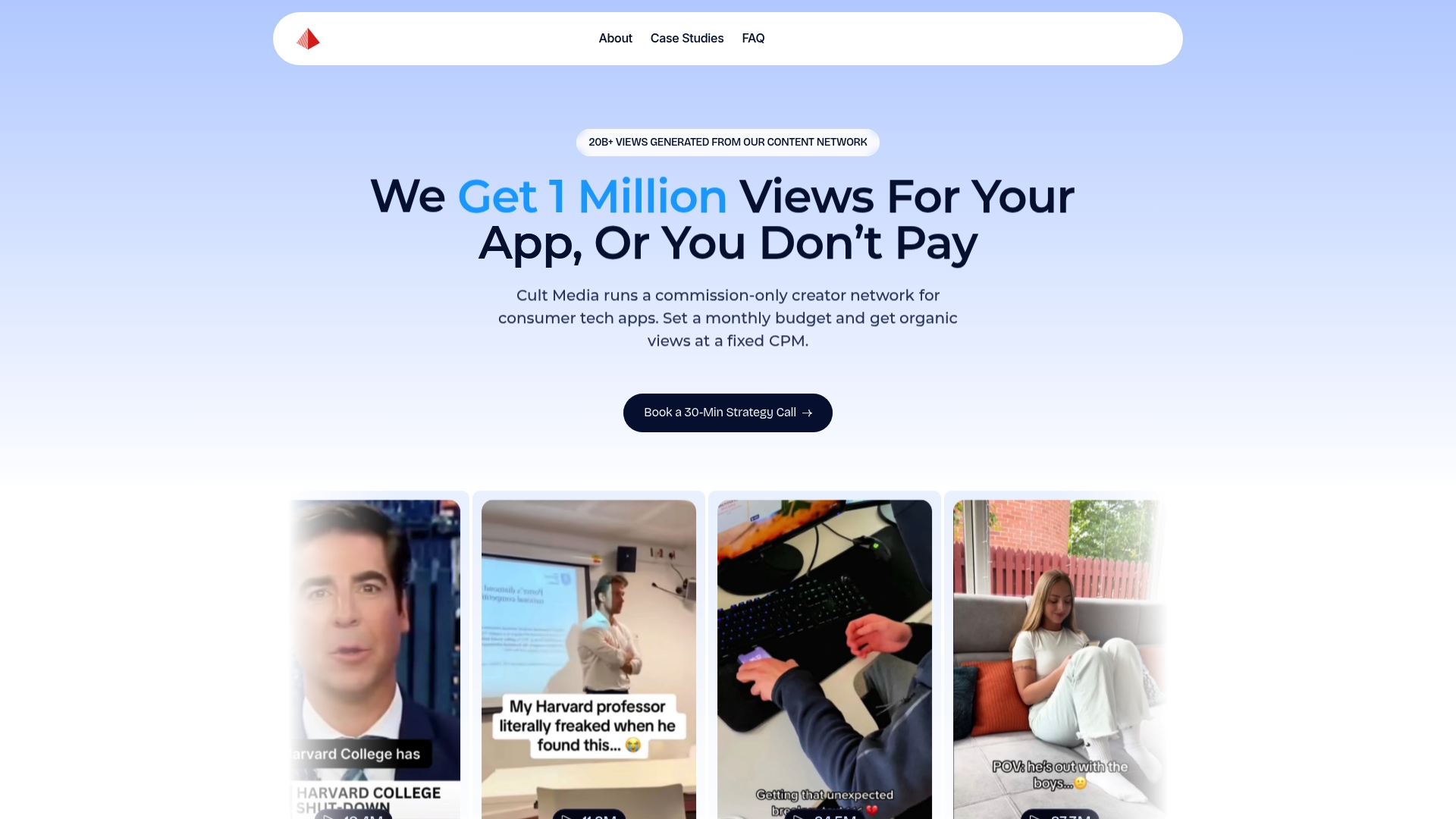
The campaign structure is straightforward. Cult Media handles creator sourcing, briefing, production oversight, and delivery verification across TikTok and Instagram. Clients receive verified view reports and can track install attribution through their existing MMP. Pilot campaigns establish a creative baseline quickly, and winning formats are scaled across the network without additional negotiation or sourcing effort on the client side.
Proposal checklist before your first conversation:
- Campaign objective (installs, re-engagement, or ASO lift)
- Target audience profile (age, platform, interest category)
- Test budget and view guarantee target
- Creative brief or existing hook library
- MMP and attribution setup
- Expected timeline and reporting cadence
If you're ready to run a guaranteed-view pilot or want a brief template to get started, visit Cult Media and request a campaign proposal.
Useful sources for UGC and app install marketing
The sources below back the benchmarks, platform policies, and strategic frameworks referenced throughout this article. Each is worth bookmarking for ongoing reference.
- Google Play UGC policy — Primary policy reference for apps hosting user-generated content. Covers terms of use requirements, reporting and blocking systems, content filters, and compliance obligations. Required reading before shipping any UGC feature.
- Adjust: UGC marketing for mobile apps — Covers the performance case for UGC across mobile app channels, including the 93% marketer adoption figure and CTR benchmarks. Useful as a general evidence base for stakeholder presentations.
- Collab Only: UGC vs. professional app demo videos — Source for the 34% CPI reduction benchmark, the 2.1× TikTok install rate figure, and the UGC-first 12–18 month stack recommendation. Also covers production cost comparisons ($100–$700 for UGC vs. $1,500–$5,000 for motion design).
- Pixis.ai: UGC in 2026 — Source for the 45% install lift figure for tutorial and testimonial formats. Also covers hook library refresh strategy and format fatigue patterns.
- RevenueCat: UGC ads for apps — Covers platform-native creative strategy, hook library operations, and the minimum variant counts (5–10 per month) needed to sustain learning velocity. Strong operational reference for growth teams.
- ASOtext: UGC in ASO — Explains how user reviews and in-store media function as ranking and conversion signals in app store algorithms. Useful for teams building an ASO-first UGC strategy.
- VideoAI.me: UGC for mobile apps — Covers AI-assisted UGC generation for localization and rapid variant testing. Useful context for teams exploring AI UGC as a supplement to creator content.
- Cult Media blog — Performance marketing insights on platform-native creative systems, UGC scaling, and consumer app growth strategies from the Cult Media team.